- DIGITAL SAFETY
- ABOUT THE DIGITAL SAFETY GROUP
- REPORT HARMFUL ONLINE CONTENT
- CLASSIFICATION IN NEW ZEALAND
- LEGISLATION
- OBJECTIONABLE & RESTRICTED MATERIAL
- ONLINE SAFETY
- For support and help line services
- Online digital child exploitation
- Child safety online
- Voluntary Principles to Counter Online Child Sexual Exploitation and Abuse
- Social media platforms
- Code of Practice for organisations
- Review internet activity
- How to keep your family safe online
- Glossary of internet jargon
- Youth and porn resources
- Other Useful links
- INTERNET & WEBSITE FILTER
- NEWS & RESOURCES
- RESEARCH
- CONTACT US
Review Internet activity
Actively supervising your children’s Internet activity is a good way to make sure they’re staying safe online. You should also encourage your children to alert you if they encounter anything online that makes them feel uncomfortable or unsafe.
These guidelines will help you to supervise your child's Internet activities by reviewing the websites and pages recently viewed on any computer. We have outlined the steps to review your Internet activity on Google Chrome, Internet Explorer and Firefox.
Other browsers may differ from what is listed below. Internet 'History' may be accessed through the 'Options' menu or others in the toolbar of some browsers. If in doubt, contact the supporting company for information on how to access the 'History' list through your browser type.
On this page:
Instructions for Google Chrome
1) Open Google Chrome.
2) In the toolbar, click on the icon with three dots to access the drop-down menu.

3) Click 'History'. This will open a new tab.
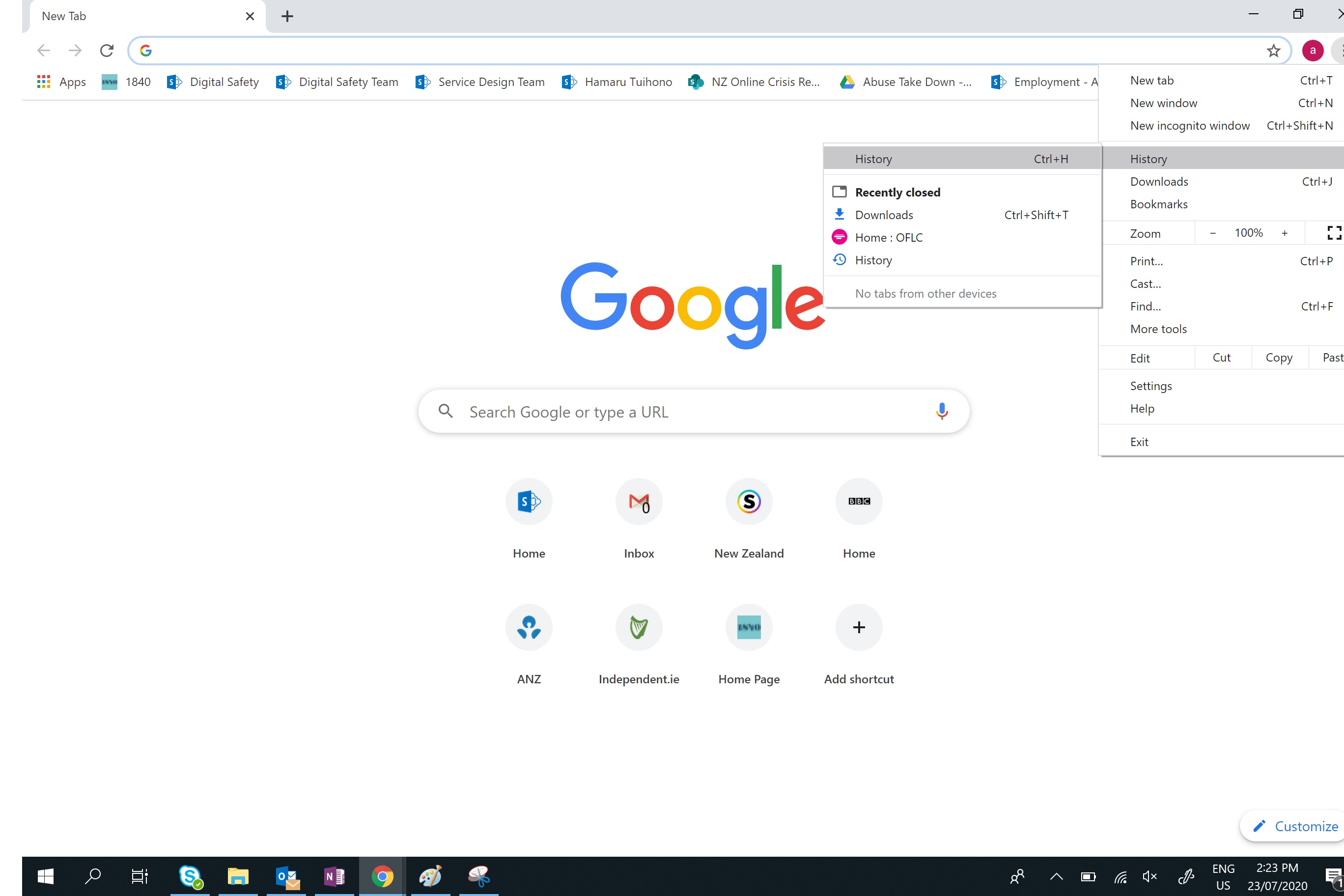
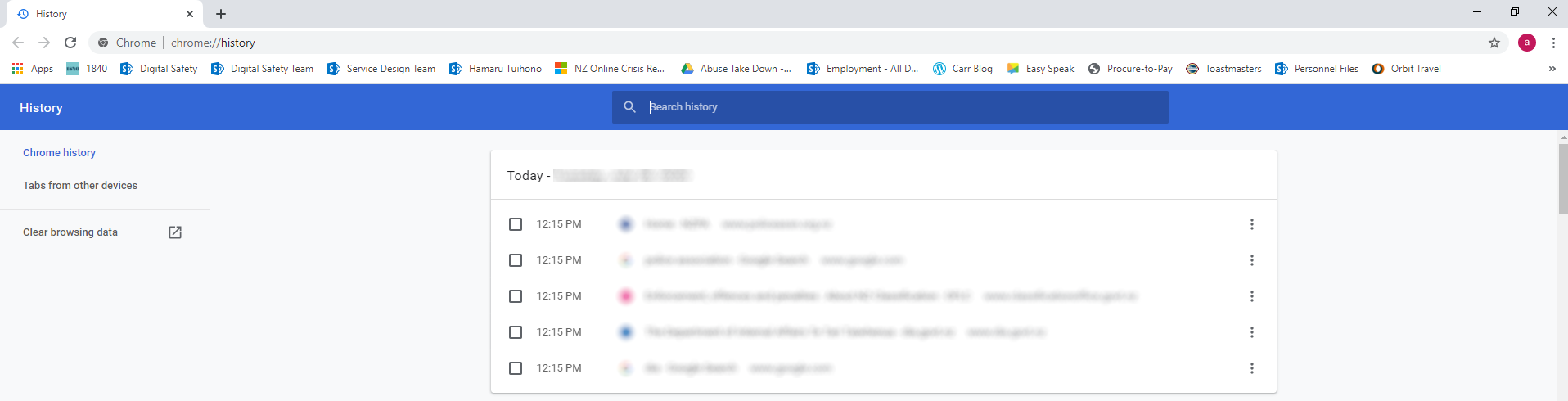
4) This tab will list all the sites in your browsing history.
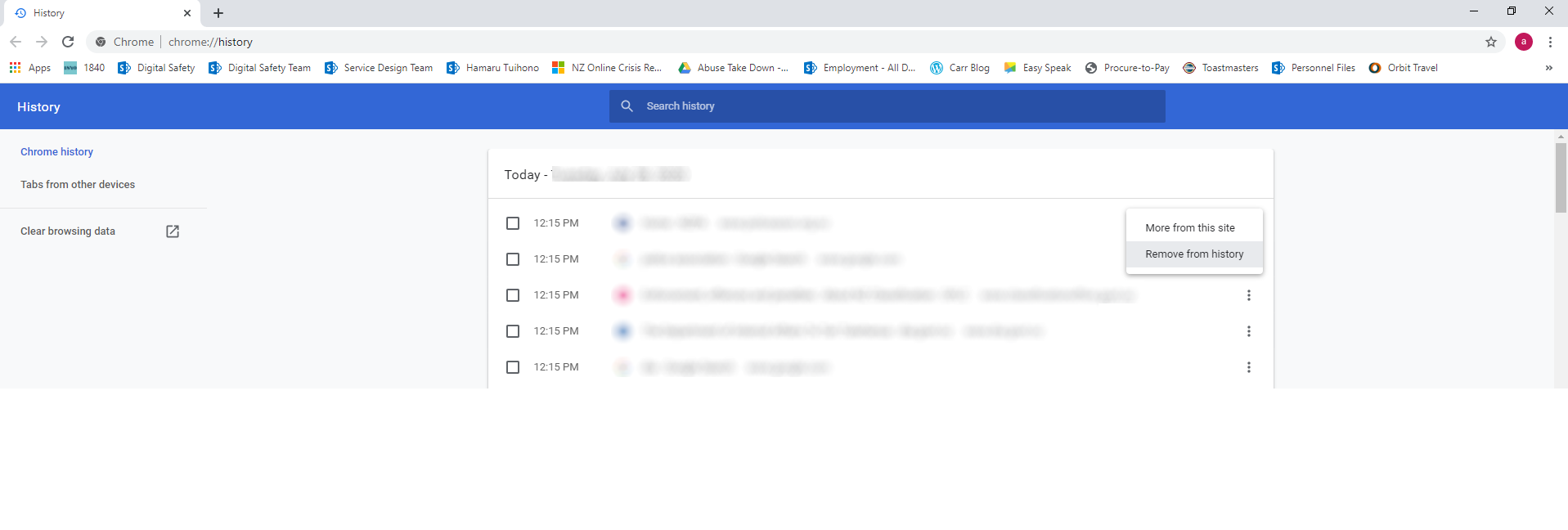
5) To remove a site you can select the three vertical dots to the right of the website and select "Remove from history".
6) If you find a website in your child’s internet history that you think exposes them to a risk of online harm, you should talk to them about it. For tips on how to talk to your children about online safety visit take a look at our online safety advice for parents and caregivers.
Instructions for Internet Explorer version 11
1) Open Internet Explorer.
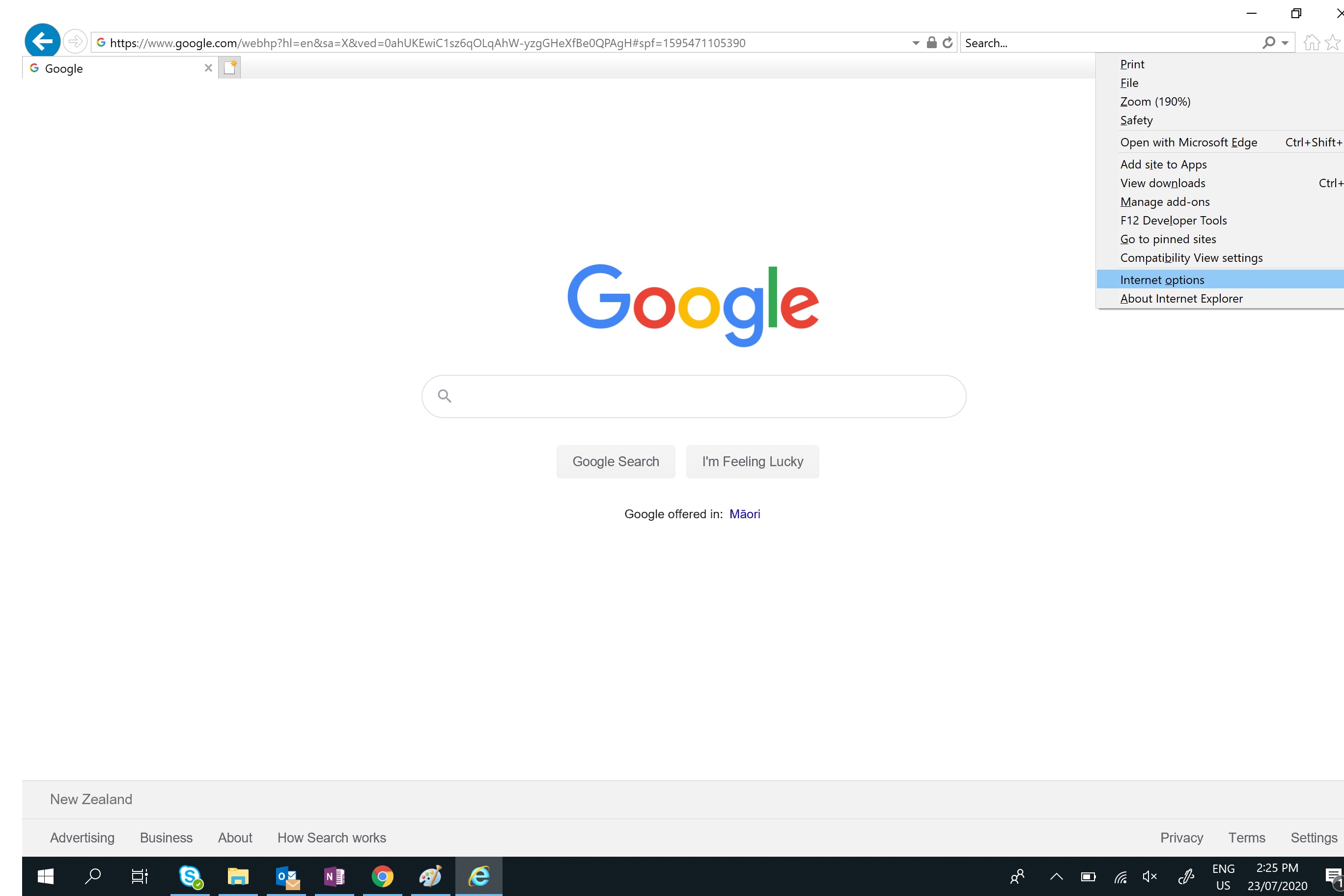
2) Click on gear icon in the top right-hand side of the Menu bar:
3) Click on 'Internet Options'.
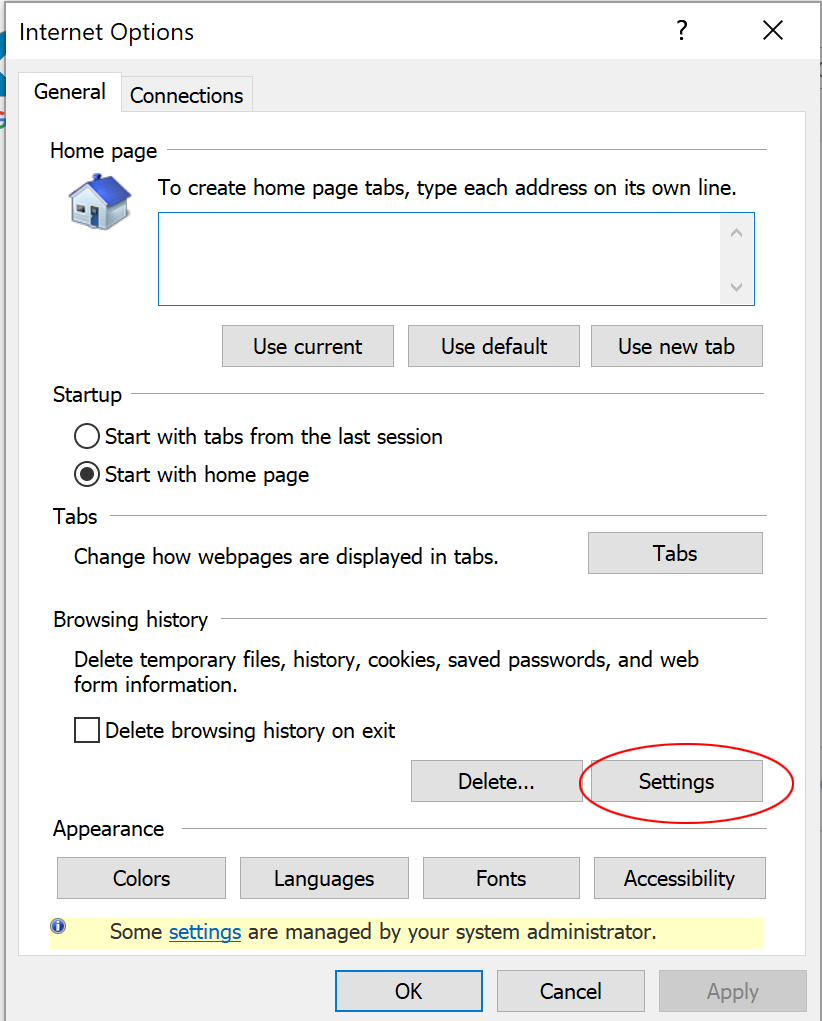
4) In the 'General' tab, click on the 'Settings' button in the 'Browsing history' section.
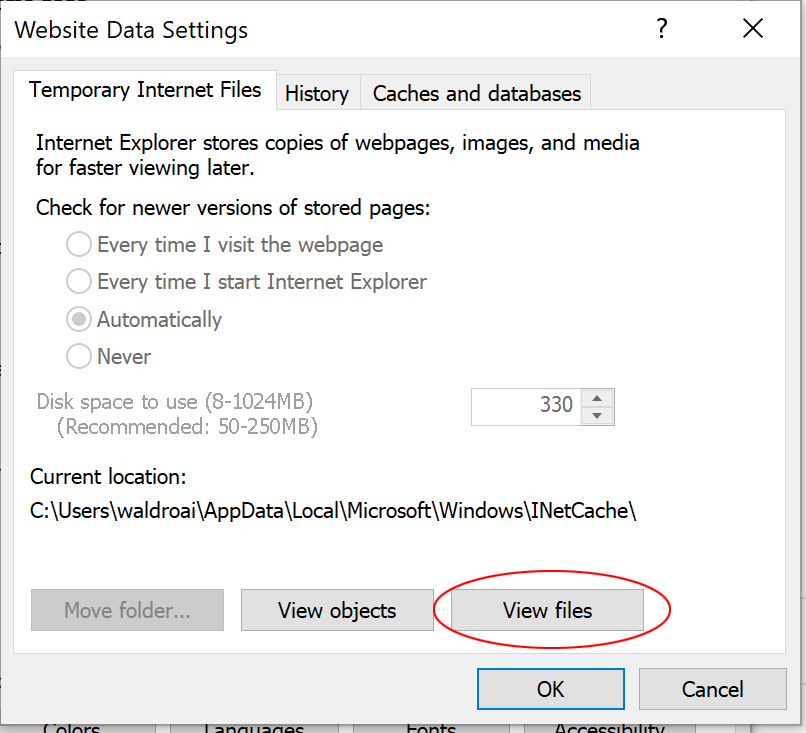
5) Click 'View files'.
6) To delete the sites, place your cursor on the address, click the right button on your mouse and select 'Delete' from the drop-down menu.
7) If you find a website in your child’s internet history that you think exposes them to a risk of online harm, you should talk to them about it. For tips on how to talk to your children about online safety visit take a look at our online safety advice for parents and caregivers.
Instructions for Firefox
1) Open Firefox.
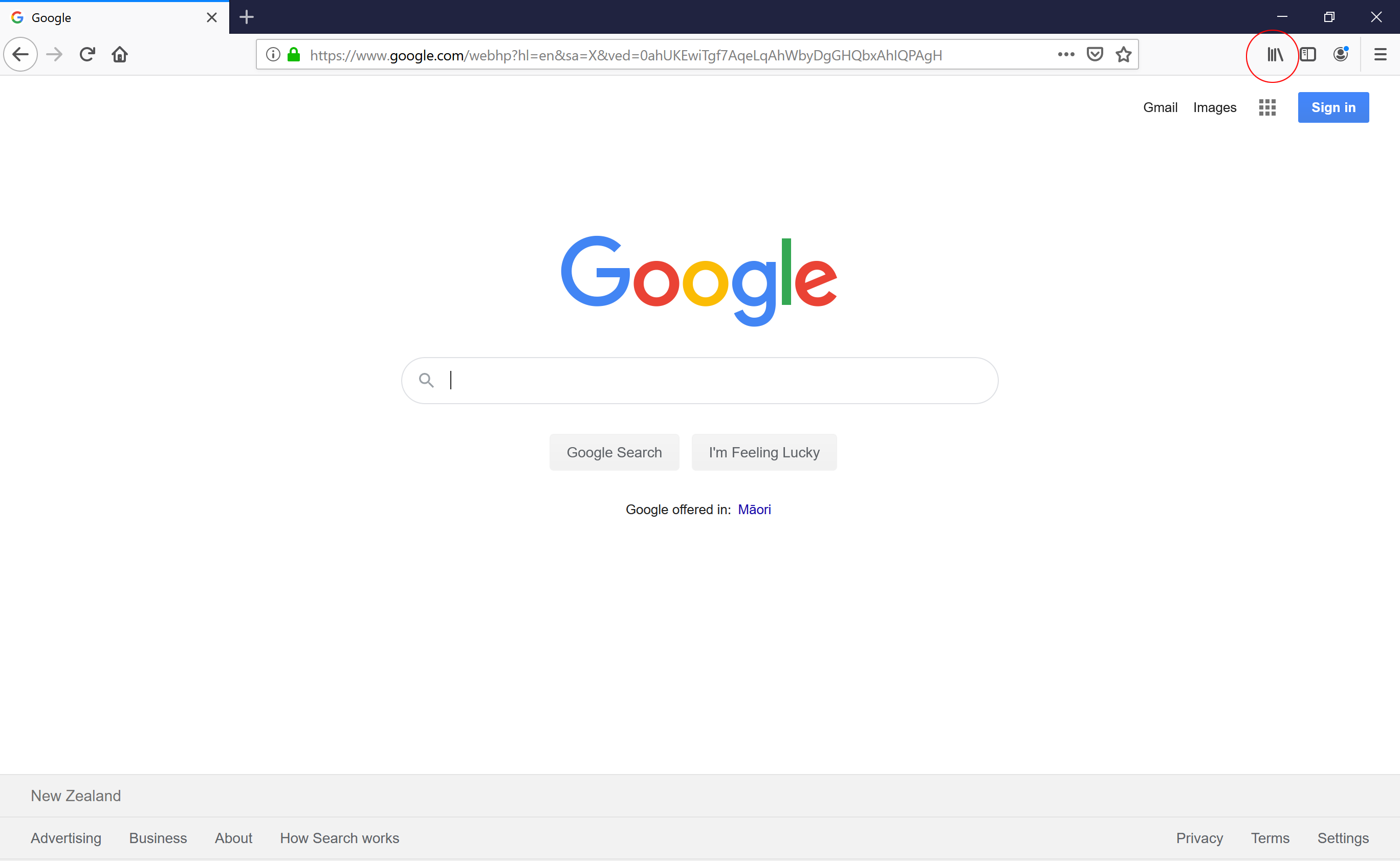
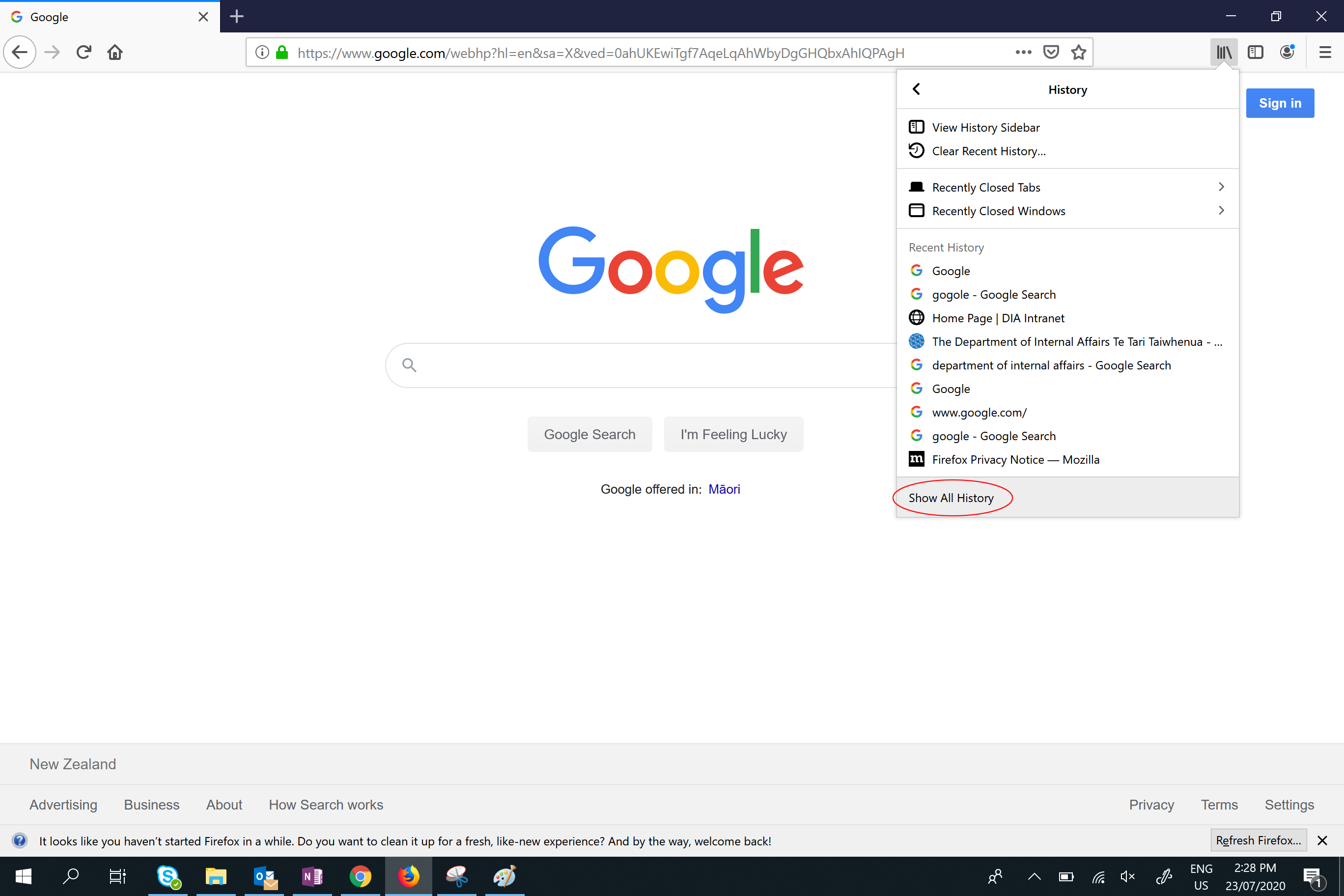
2) Click on the Library icon in the top right-hand corner.
3) The following menu will drop down.
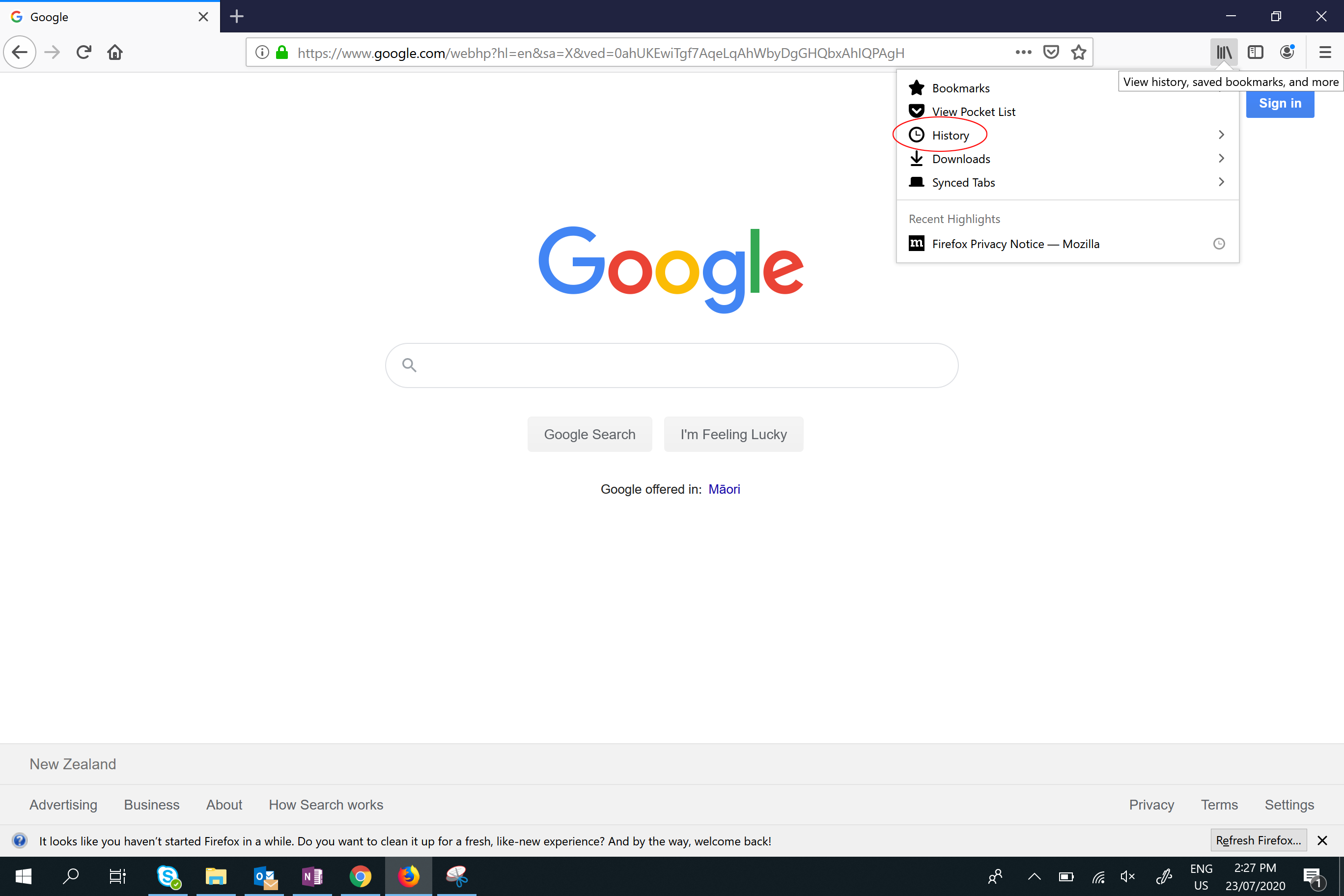
4) Click on 'History'. Your recent search history will appear under ‘Recent History’. To see your entire search history, select ‘Show All History’.
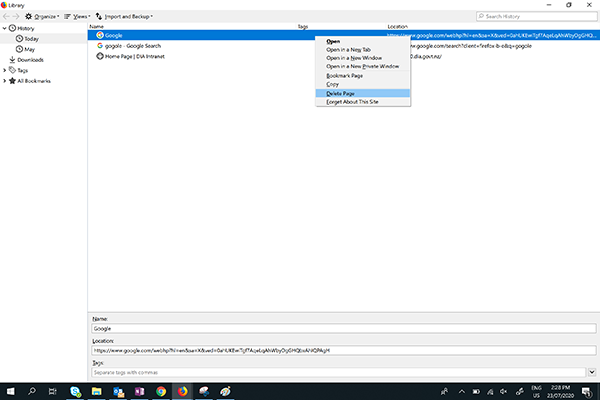
5) To delete any sites, place your cursor on the address, click the right button on your mouse and select 'Delete Page' from the drop-down menu.
6) If you find a website in your child’s internet history that you think exposes them to a risk of online harm, you should talk to them about it. For tips on how to talk to your children about online safety visit take a look at our online safety advice for parents and caregivers.
